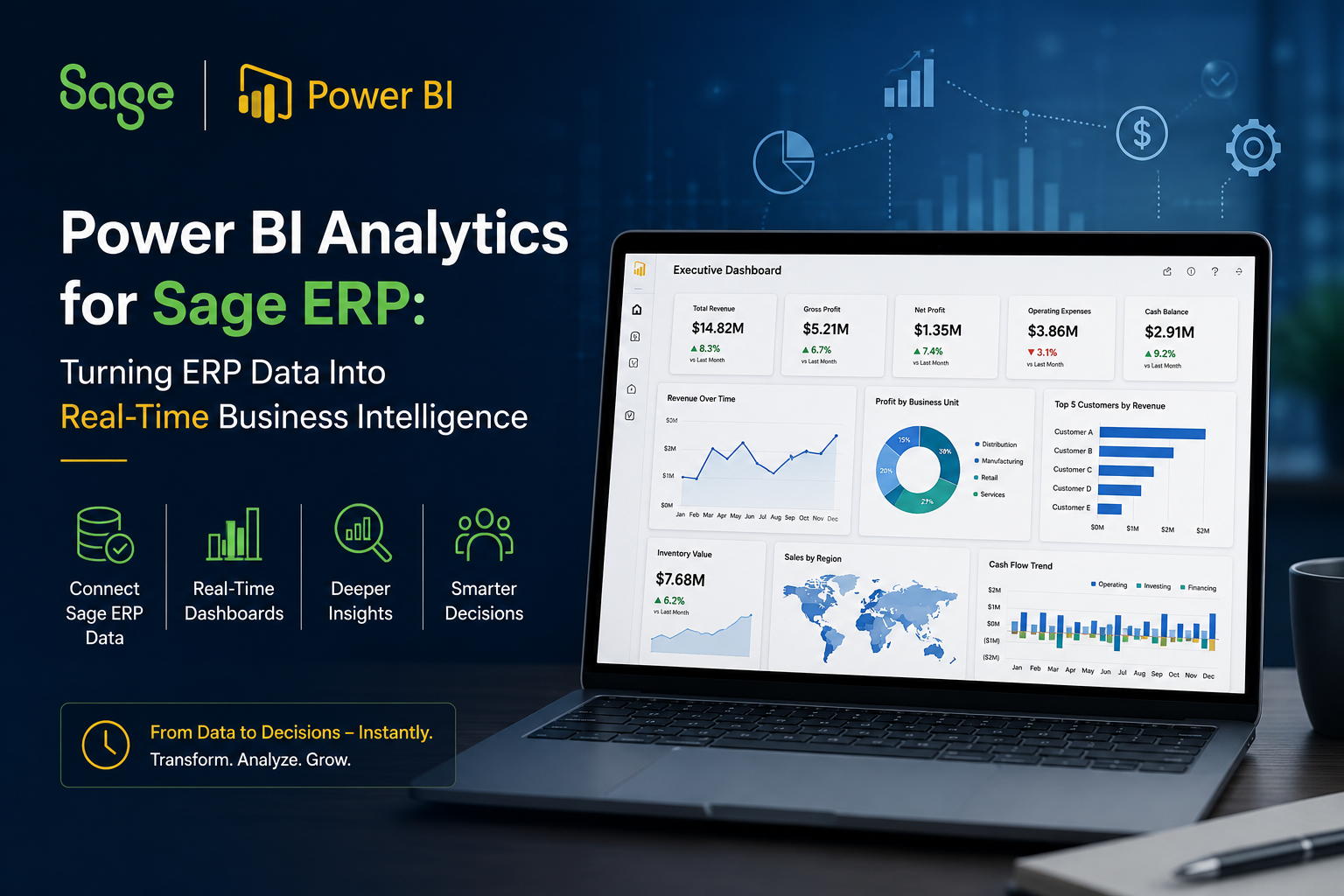
Organizations running Sage ERP generate thousands of business transactions every day.
Sales orders are processed. Inventory moves across warehouses. Purchase orders are approved. Financial transactions are recorded. Production activities are tracked. Customer information is updated continuously.
The challenge is not collecting data.
The challenge is turning that data into meaningful business insights.
Many organizations using Sage ERP still rely on exported spreadsheets, static reports, and manual reporting processes to understand business performance. Finance teams spend hours preparing reports. Operations managers wait for updates. Executives often make decisions using information that is already days or weeks old.
As competition increases and market conditions change faster than ever, delayed visibility creates operational risk.
This is why more organizations are combining Sage ERP with Microsoft Power BI.
Power BI transforms ERP data into real-time dashboards, interactive reports, and executive-level analytics that help decision-makers identify opportunities, reduce inefficiencies, and improve business performance.
In this guide, we will explore how Power BI analytics helps Sage ERP users unlock greater value from their ERP investment and build a more data-driven organization.
Ready to Unlock More Value from Your Sage ERP Data?
If your teams are spending hours preparing reports instead of analyzing performance, it’s time to modernize your reporting strategy.
Talk to Addend Analytics about building real-time Power BI dashboards for Sage ERP.
Why Traditional Sage ERP Reporting Creates Business Challenges
Sage ERP provides powerful transaction processing capabilities.
However, ERP systems were originally designed to manage business operations, not necessarily to deliver executive-level analytics.
As organizations grow, reporting requirements become more complex.
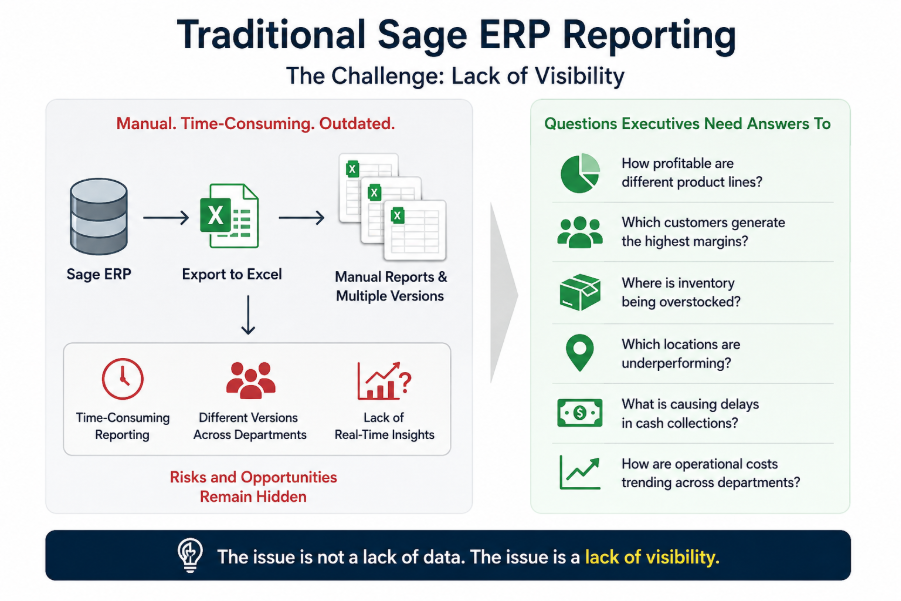
Executives want to know:
How profitable are different product lines?
Which customers generate the highest margins?
Where is inventory being overstocked?
Which locations are underperforming?
What is causing delays in cash collections?
How are operational costs trending across departments?
Finding answers often requires exporting data into Excel, combining information from multiple sources, and manually creating reports.
This creates several challenges.
First, reporting becomes time-consuming.
Second, different departments often generate different versions of the same report.
Third, decision-makers lack access to real-time information.
Most importantly, opportunities and risks remain hidden until they become larger business problems.
The issue is not a lack of data.
The issue is a lack of visibility.
What Is Power BI Analytics for Sage ERP?
Power BI is Microsoft’s business intelligence platform that connects directly with Sage ERP and transforms ERP data into interactive dashboards and analytical reports.
Instead of reviewing static spreadsheets, users can explore live business data through visual dashboards that update automatically.
Power BI allows organizations to analyze information across:
- Financial performance
- Sales operations
- Inventory management
- Procurement
- Supply chain operations
- Manufacturing performance
- Customer profitability
- Cash flow management
- Executive KPIs
By bringing all critical business information into a single reporting environment, Power BI enables faster analysis and more informed decision-making.
Rather than spending time collecting data, teams can focus on understanding what the data means and determining what actions should be taken next.
Why Business Leaders Are Investing in Power BI for Sage ERP
The modern business environment demands faster decision-making.
Organizations can no longer afford to wait until month-end to understand performance trends.
Leaders need visibility while events are happening, not after opportunities have been missed.
Power BI addresses this challenge by providing real-time access to business information.
A CFO can monitor cash flow and profitability without waiting for finance reports.
A COO can track inventory levels, fulfillment performance, and operational efficiency from a single dashboard.
A CIO can provide secure, governed access to business data while reducing dependence on manual reporting processes.
This shift from reactive reporting to proactive decision-making is where the true value of Power BI analytics begins.
Financial Analytics: Turning Sage ERP Data Into Executive Visibility
Finance teams are often the biggest beneficiaries of Power BI analytics.
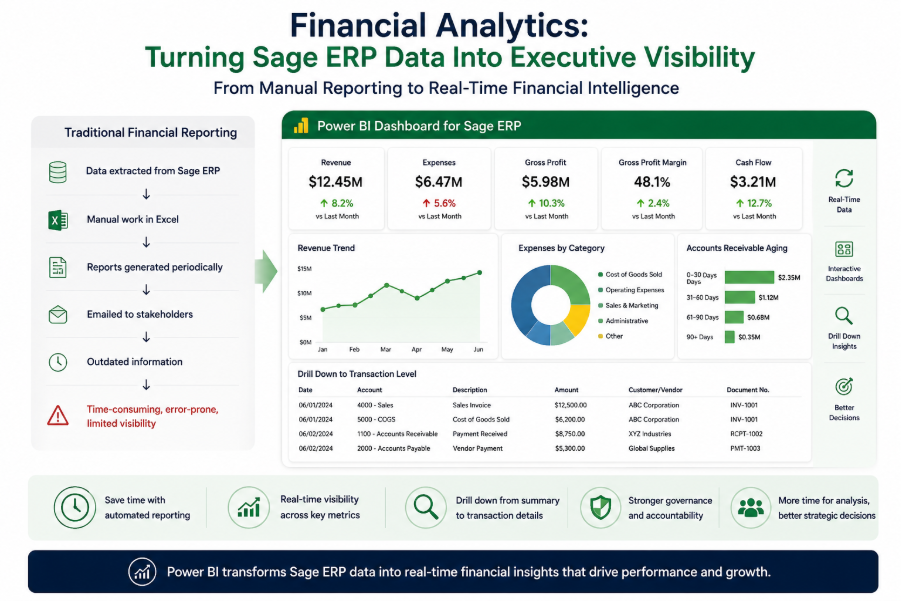
Traditional financial reporting typically requires significant manual effort.
Reports are generated periodically, distributed through email, and become outdated almost immediately.
Power BI changes this process entirely.
Finance leaders can monitor revenue, expenses, gross profit margins, accounts receivable, accounts payable, and cash flow through live dashboards.
They can drill down from summary-level metrics into transaction-level details within seconds.
Instead of spending time preparing reports, finance teams spend more time analyzing trends and supporting strategic decisions.
This not only improves reporting efficiency but also enhances financial governance and accountability.
Sales Analytics: Understanding Revenue Performance in Real Time
Sales data inside Sage ERP contains valuable insights that often remain underutilized.
Power BI helps organizations analyze revenue performance from multiple perspectives.
Business leaders can evaluate sales by product, customer, territory, region, salesperson, or business unit.
They can identify top-performing products, monitor customer buying behavior, and understand profitability across different segments.
This visibility helps organizations uncover growth opportunities while addressing performance gaps before they impact revenue targets.
Rather than relying on historical reporting, leaders gain access to real-time sales intelligence.
Mid-CTA
Still Making Decisions with Excel Reports?
Your Sage ERP already contains the information you need.
Power BI helps transform that information into real-time insights that drive faster and more confident decisions.
Schedule a consultation with Addend Analytics to explore your Power BI analytics roadmap.
Inventory Analytics: Reducing Costs While Improving Availability
Inventory is one of the largest investments for many organizations.
Yet inventory visibility remains a challenge across industries.
Organizations frequently experience situations where warehouses appear full while production teams still struggle with material shortages.
Power BI helps solve this problem by providing a complete view of inventory performance.
Leaders can monitor inventory turnover, stock levels, aging inventory, stockouts, reorder points, and supplier performance in real time.
This visibility helps reduce excess inventory, improve working capital utilization, and support better demand planning.
The result is a more efficient supply chain and improved operational performance.
Executive Dashboards: One View of the Entire Business
One of the most powerful advantages of Power BI is its ability to create executive dashboards.
Executives no longer need to review separate reports from finance, operations, sales, and inventory teams.
Instead, they can access a single dashboard that presents critical business metrics in one place.
These dashboards provide a consolidated view of organizational performance while allowing users to drill deeper into specific areas when necessary.
This creates alignment across departments and enables leadership teams to make decisions using the same set of trusted data.
The result is faster decision-making and improved organizational accountability.
Key KPIs Every Sage ERP User Should Monitor
Successful organizations focus on a small set of high-impact metrics.
Power BI helps track these KPIs continuously.
Revenue Growth
Gross Profit Margin
Operating Margin
Cash Flow
Inventory Turnover
Days Sales Outstanding
Accounts Receivable Aging
Accounts Payable Aging
Customer Profitability
Order Fulfillment Rate
Sales Performance by Product
Procurement Efficiency
By monitoring these metrics in real time, organizations can identify trends earlier and respond more effectively to changing business conditions.
Industry Use Cases
Manufacturing organizations use Power BI to monitor production costs, inventory utilization, operational efficiency, and profitability.
Distribution companies use Power BI to improve warehouse visibility, optimize inventory levels, and enhance order fulfillment performance.
Professional services organizations use Power BI to track project profitability, resource utilization, and revenue performance.
Financial services firms use Power BI to improve financial reporting, budgeting, forecasting, and compliance visibility.
Regardless of industry, the objective remains the same: transform business data into actionable intelligence.
From ERP Data to Strategic Advantage
Organizations invest heavily in ERP systems.
However, ERP data only delivers value when it supports better business decisions.
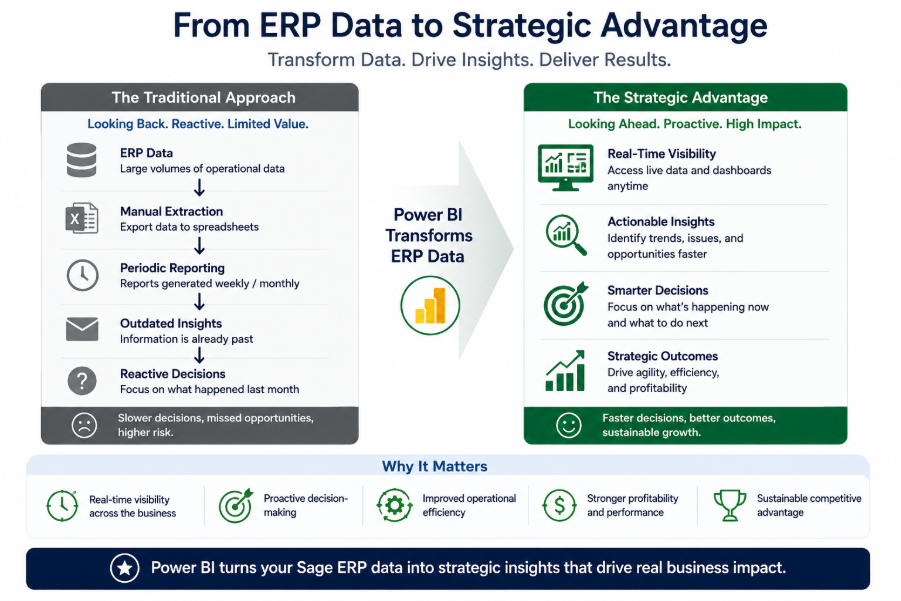
Power BI extends the value of Sage ERP by transforming operational data into strategic insights.
It helps organizations move beyond historical reporting and embrace real-time visibility.
Instead of asking what happened last month, leaders can understand what is happening right now and what actions should be taken next.
This capability has become a competitive advantage for organizations seeking greater agility, efficiency, and profitability.
Conclusion
Sage ERP captures critical business information across finance, operations, inventory, procurement, and sales.
However, data alone does not drive business success.
The organizations achieving the greatest results are those that transform ERP data into actionable intelligence.
Power BI enables this transformation by providing real-time visibility, executive dashboards, advanced analytics, and data-driven decision support.
By combining Sage ERP with Power BI, organizations can improve reporting efficiency, increase operational visibility, reduce manual effort, and accelerate decision-making.
The result is a smarter, more responsive, and more competitive business.
Ready to Turn Sage ERP Data Into Actionable Insights?
Addend Analytics helps organizations build powerful Power BI analytics solutions that deliver real-time visibility across finance, operations, sales, and inventory.
Whether you’re looking to modernize reporting, improve decision-making, or create executive dashboards, our team can help you maximize the value of your Sage ERP investment.
Contact Addend Analytics today to start your Power BI analytics journey.
Frequently Asked Questions (FAQs)
1. Can Power BI connect directly to Sage ERP?
Yes, Power BI can connect to Sage ERP data through various integration methods, including direct database connections, APIs, cloud connectors, and data warehouses. The integration approach depends on the specific Sage ERP version being used, such as Sage 100, Sage 300, Sage X3, or Sage Intacct. Once connected, Power BI can automatically refresh data and provide real-time visibility into business performance.
2. What are the benefits of using Power BI with Sage ERP?
Power BI helps organizations transform Sage ERP data into actionable business insights. Key benefits include real-time reporting, executive dashboards, improved financial visibility, inventory analytics, sales performance tracking, faster decision-making, and reduced dependence on manual spreadsheets. This enables business leaders to make more informed decisions using trusted data.
3. What business metrics can be tracked using Power BI and Sage ERP?
Organizations can track a wide range of KPIs, including revenue growth, gross profit margin, cash flow, accounts receivable aging, inventory turnover, order fulfillment rates, customer profitability, sales performance by product, procurement efficiency, and operational costs. These metrics help leaders monitor performance and identify improvement opportunities.
4. Is Power BI suitable for small and mid-sized businesses using Sage ERP?
Yes. Power BI is highly scalable and is widely used by small and mid-sized organizations. It allows businesses to start with essential dashboards and expand their analytics capabilities as reporting requirements grow. This makes Power BI a cost-effective business intelligence solution for companies looking to maximize the value of their Sage ERP investment.
5. How does Power BI improve decision-making for Sage ERP users?
Power BI provides real-time access to business data through interactive dashboards and visual reports. Instead of waiting for weekly or monthly reports, executives and department managers can monitor performance as it happens. This helps organizations identify trends earlier, respond to challenges faster, and make proactive decisions based on accurate and up-to-date information.
6. How long does it take to implement Power BI analytics for Sage ERP?
The implementation timeline depends on factors such as the complexity of the Sage ERP environment, data sources, reporting requirements, and dashboard scope. Basic reporting dashboards can often be developed within a few weeks, while enterprise-wide analytics solutions may require a more comprehensive implementation approach. Working with an experienced Power BI consulting partner can help accelerate deployment and ensure successful adoption.
Author By

Kamal Sharma
Kamal brings over 20 years of experience in data analytics and business intelligence. He has led the design and implementation of analytics solutions across operations, financial reporting, and performance improvement initiatives. With a background in business statistics and Six Sigma, his work focuses on applying data in a structured and practical way to solve real business challenges.