
Introduction
In modern organizations, data security is one of the most critical aspects of Business Intelligence solutions. Companies often have multiple users accessing the same Power BI report, but not every user should be allowed to view all the data. For example, a regional manager should only see sales data for their assigned region, while executives may require access to all regions.
To solve this challenge, Power BI provides a powerful feature called Row-Level Security (RLS). RLS restricts data access for users based on defined roles and filters. While static RLS works for fixed scenarios, enterprise environments usually require Dynamic Row-Level Security, where access is automatically determined based on the logged-in user.
Dynamic RLS improves scalability, reduces maintenance, and provides a secure, enterprise-ready reporting environment.
What is Dynamic Row-Level Security (RLS)?
Dynamic Row-Level Security is a security mechanism in Power BI that filters data dynamically according to the currently logged-in user. Instead of creating separate reports for each department or user, a single report can serve everyone while displaying only authorized data.
Dynamic RLS works using:
- User identity (email/login)
- Security tables
- DAX filters
- Relationships between tables
This approach ensures secure and personalized data access without duplicating reports.
How Dynamic RLS Works
The working process of Dynamic RLS can be understood through the following workflow:
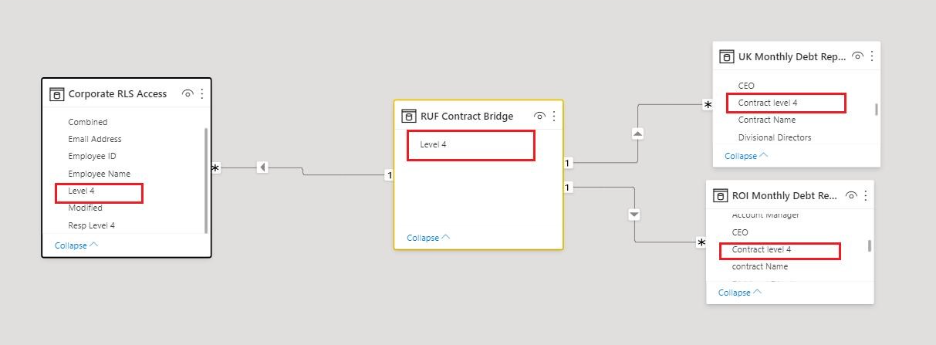
Workflow Steps
- User logs into Power BI Service
- Power BI captures the logged-in user identity
- RLS rules check the mapping table
- Data is filtered dynamically based on assigned access
- User sees only authorized records
This creates a secure and personalized reporting experience.
Real-World Use Case
Consider a retail company with sales managers across different regions:
| User | Region Access |
| john@company.com | North |
| sarah@company.com | South |
| admin@company.com | All Regions |
Without Dynamic RLS:
- Separate reports would need to be created for each manager
- Maintenance becomes difficult
- Security risks increase
Using Dynamic RLS:
- One centralized report is created
- Access is automatically filtered based on user login
- Each manager sees only their assigned regional data
For example:
- John logs in → sees North region sales
- Sarah logs in → sees South region sales
- Admin logs in → sees complete organizational data
This makes reporting scalable and secure.
How to Implement Dynamic RLS in Power BI
Step 1: Create a Security Table
Build a mapping table containing:
- User Email
- Region/Department Access
Example:
| Region | |
| john@company.com | North |
| sarah@company.com | South |
Step 2: Create Relationship
Connect the security table with the main sales table using the Region column.
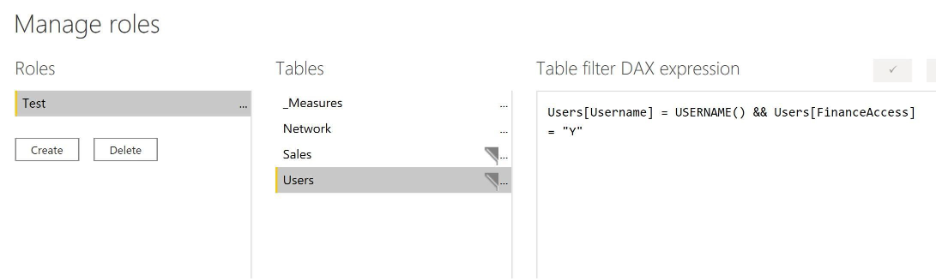
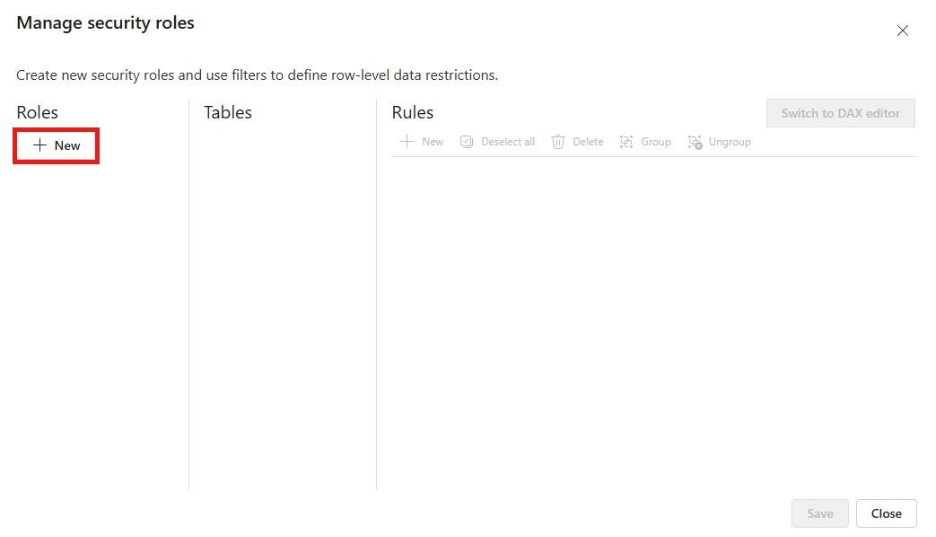
Step 3: Create Security Role
Go to:
Modeling → Manage Roles
Define DAX filter:
[Email] = USERPRINCIPALNAME()
This function identifies the currently logged-in user dynamically.
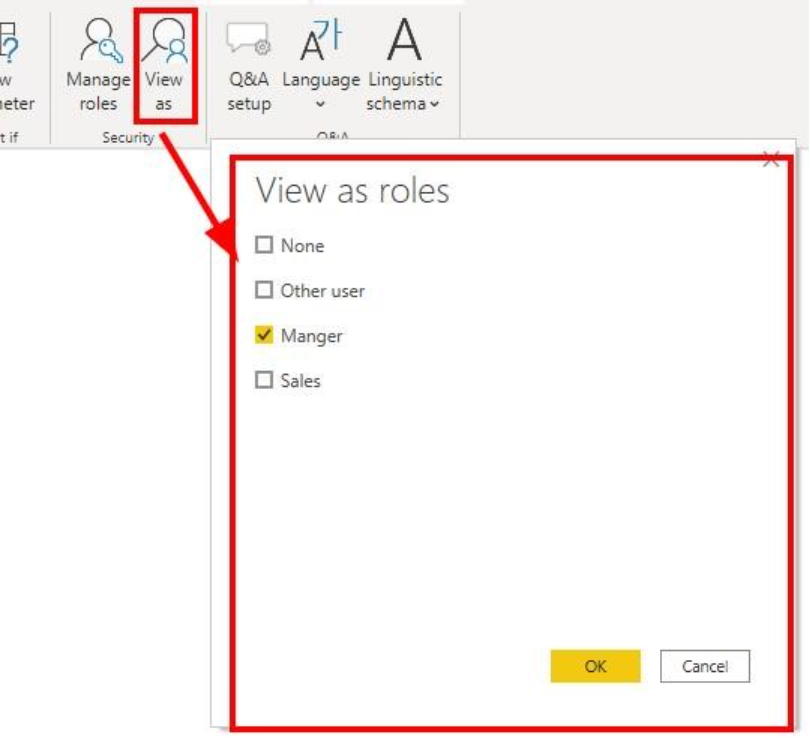
Step 4: Test the Role
Use View As Roles to validate user-level filtering.
Step 5: Publish to Power BI Service
Assign users to the created roles in Power BI Service.
Benefits of Dynamic RLS
- Improved Data Security – Users only access authorized data
- Single Report for Multiple Users – No need for duplicate reports
- Scalable Architecture – Easily handles enterprise environments
- Simplified Maintenance – Centralized security management
- Personalized Reporting Experience – Dynamic filtering based on login identity
- Compliance and Governance Support – Enhances organizational security standards
Key Considerations
- Ensure user emails match Power BI Service login IDs
- Security tables should be maintained carefully
- Test all roles before deployment
- Avoid overly complex security relationships
- Use proper governance for enterprise implementations
Conclusion
Dynamic Row-Level Security (RLS) is one of the most important enterprise features in Power BI for securing sensitive data while maintaining scalability and usability. By dynamically filtering data based on logged-in users, organizations can provide personalized access without creating multiple reports.
As businesses continue adopting centralized analytics platforms, implementing Dynamic RLS becomes essential for maintaining data privacy, governance, and operational efficiency.
For Power BI developers and BI professionals, mastering Dynamic RLS is a critical skill for building secure, enterprise-grade reporting solutions.
Author By

Rajeshwari Sharma
Rajeshwari is an experienced data professional with a track record of using data-driven insights to improve business performance. She has successfully managed multiple projects, utilising her expertise in data analysis and database administration. As a Microsoft-certified Data Analyst and Azure Database Administrator, she has cultivated a deep understanding of data management best practices and advanced analytics techniques. Her MBA in Business Analytics has equipped her with a solid foundation for integrating business strategy with data insights.