Introduction
In enterprise reporting environments, organizations often create multiple reports using the same database connections and datasets. Managing these connections separately for every report can lead to duplication, inconsistent configurations, and increased maintenance effort.
To solve this problem, SQL Server Reporting Services (SSRS) provides two powerful reusable components: Shared Data Sources and Shared Datasets. These features improve report standardization, simplify maintenance, and promote centralized management of reporting resources.
By using shared resources, organizations can reduce development time, improve consistency, and build scalable reporting solutions across departments and teams.
What are Shared Data Sources in SSRS?
A Shared Data Source is a centrally managed connection configuration used by multiple reports. Instead of creating a separate database connection inside every report, developers can create one shared connection and reuse it across different reports.
A Shared Data Source typically contains:
- Server name
- Database name
- Authentication settings
- Connection string
This centralized approach ensures consistency and makes updates easier.
What are Shared Datasets in SSRS?
A Shared Dataset is a reusable query stored on the Report Server that can be used by multiple reports. Instead of writing the same SQL query repeatedly, developers can create one shared dataset and connect multiple reports to it.
Shared datasets support:
- Reusable SQL queries
- Centralized business logic
- Parameterized datasets
- Consistent reporting standards
This reduces duplicate development efforts and improves report maintainability.
How Shared Resources Work in SSRS
The relationship between reports, shared datasets, and shared data sources can be understood in the following workflow:
Workflow Steps
- Create a Shared Data Source
- Build Shared Datasets using the shared connection
- Multiple reports consume the shared dataset
- Reports automatically inherit centralized configurations
This architecture improves governance and simplifies report management.
Real-World Use Case
Consider an organization where multiple departments require sales-related reports.
Without Shared Resources:
- Each report contains its own SQL connection
- Queries are duplicated across reports
- Updating connection details becomes difficult
For example, if the database server changes, developers must manually update every report individually.
Using Shared Data Sources and Shared Datasets:
- One centralized data source manages the database connection
- One shared sales dataset is reused across reports
- Any update is performed once and automatically reflected everywhere
This significantly reduces maintenance effort and improves consistency.
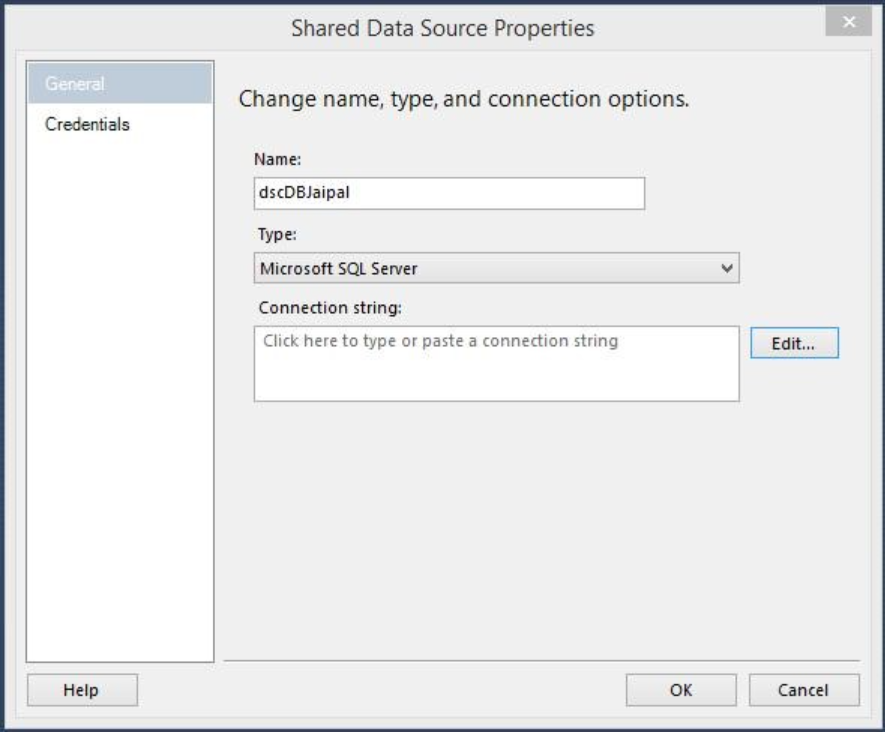
How to Create a Shared Data Source in SSRS
Step 1: Open Report Manager or SSDT
Navigate to the Shared Data Sources folder.
Step 2: Create New Data Source
Provide:
- Name
- Connection String
- Authentication Type
Step 3: Save the Data Source
Once created, multiple reports can use the same shared connection.
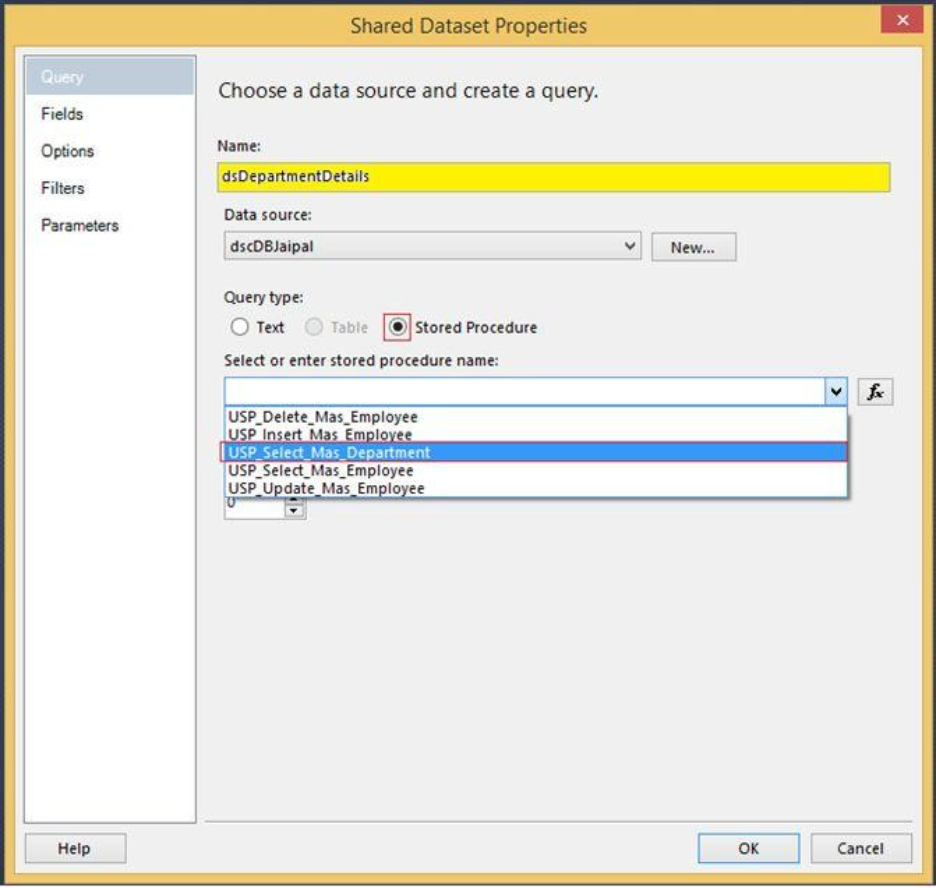
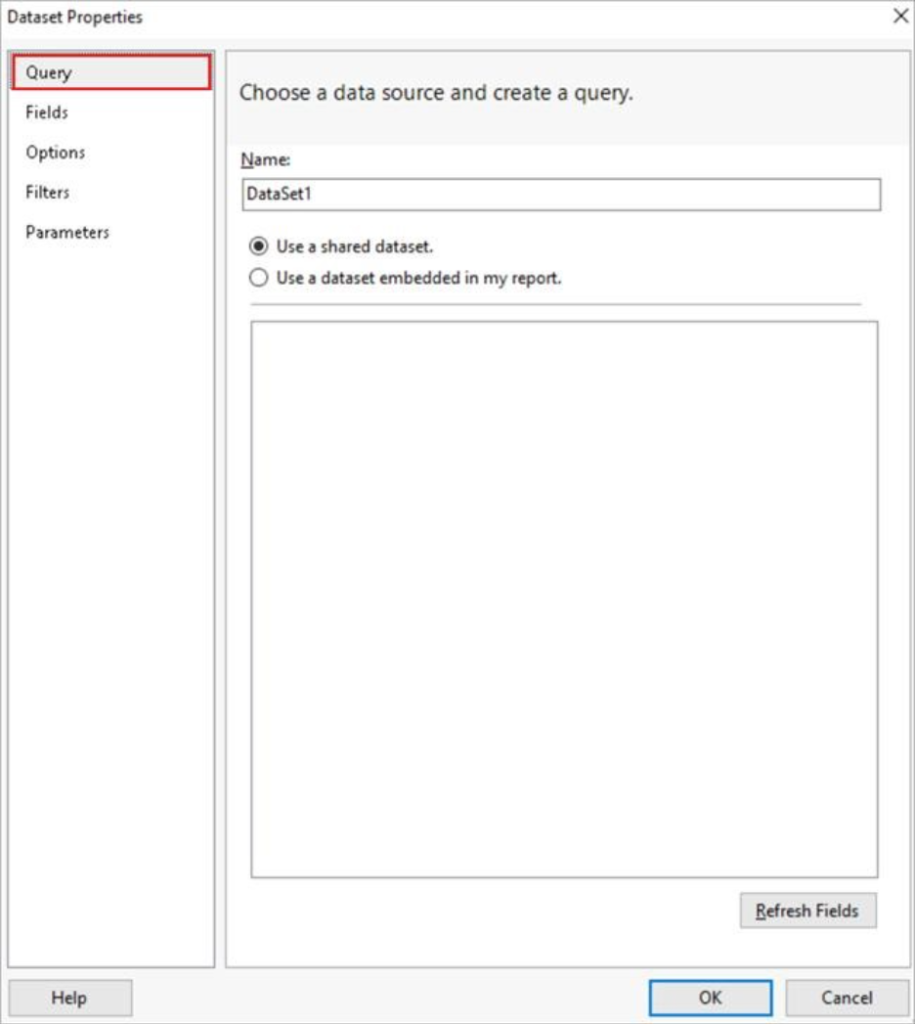
How to Create a Shared Dataset
Step 1: Create Dataset Query
Write the required SQL query or stored procedure.
Step 2: Connect to Shared Data Source
Select the existing shared connection.
Step 3: Save Dataset on Report Server
4
Step 4: Reuse in Reports
Multiple reports can now consume the same dataset.

Benefits of Shared Data Sources and Shared Datasets
- Centralized Management – Manage connections and queries from one place
- Reduced Duplication – Avoid repeated SQL queries and connections
- Improved Consistency – Standardized business logic across reports
- Simplified Maintenance – Changes automatically apply to all linked reports
- Enhanced Security – Centralized authentication management
- Faster Development – Reuse existing reporting components
Key Considerations
- Proper naming conventions should be maintained
- Shared datasets must be optimized for performance
- Security permissions should be carefully managed
- Avoid excessive dependency on very large shared datasets
Conclusion
Shared Data Sources and Shared Datasets are essential features in SSRS for building scalable, maintainable, and enterprise-ready reporting solutions. By centralizing database connections and reusable queries, organizations can improve consistency, reduce duplication, and simplify report management.
As reporting environments continue to grow in complexity, leveraging shared resources becomes critical for efficient development and governance. For SSRS developers, mastering shared datasets and shared data sources is an important step toward building professional and optimized reporting architecture.
Author By

Kamal Sharma
Kamal brings over 20 years of experience in data analytics and business intelligence. He has led the design and implementation of analytics solutions across operations, financial reporting, and performance improvement initiatives. With a background in business statistics and Six Sigma, his work focuses on applying data in a structured and practical way to solve real business challenges.